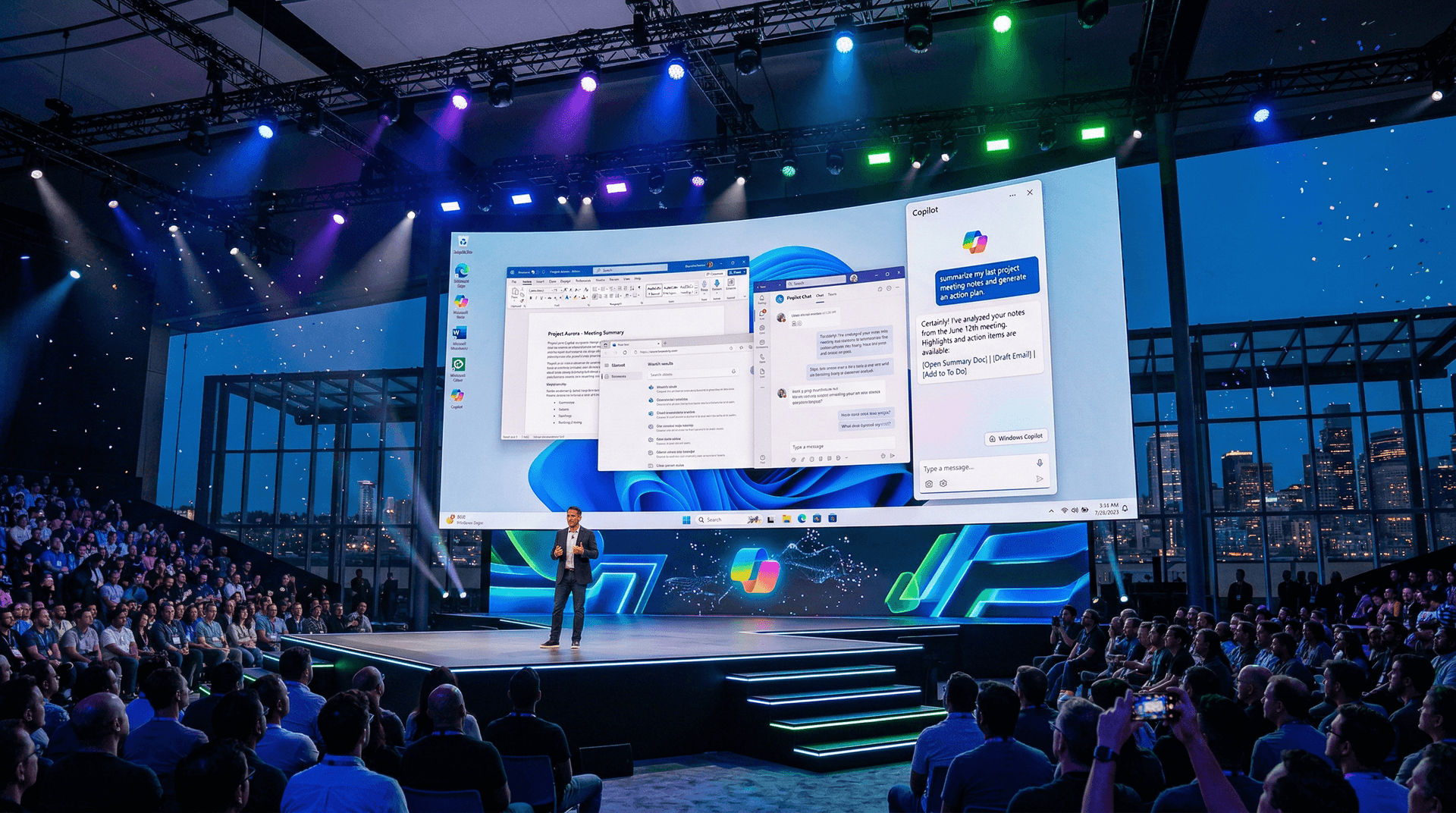
Microsoft's annual Build developer conference, held from May 23 to 25 in Seattle, delivered a barrage of AI-centric announcements that could reshape how we interact with personal computers. The standout reveal was Windows Copilot, a generative AI assistant baked directly into the Windows 11 operating system. Positioned as a persistent companion in the taskbar, Copilot leverages the power of OpenAI's GPT-4 model to handle natural language commands, automate workflows, and boost productivity for both developers and everyday users.
What is Windows Copilot?
Imagine asking your PC to "summarize my emails from the last week" or "turn on do not disturb and open Spotify" without lifting a finger from the keyboard. That's the promise of Windows Copilot. During the keynote, CEO Satya Nadella and Executive Vice President of Windows and Web Experiences Panos Panay demonstrated Copilot in action. Accessed via a dedicated taskbar icon—represented by a sparkling AI logo—it opens as a sidebar overlay, allowing seamless multitasking without disrupting your workflow.
Copilot isn't just a chat interface; it's deeply integrated with Windows. It can:
- Control system settings, like adjusting focus modes or launching apps.
- Interact with Microsoft 365 apps, generating documents, analyzing data in Excel, or drafting emails in Outlook.
- Use plugins for extended functionality, similar to those in Bing Chat, enabling web searches, image generation via DALL-E, and more.
Powered by the Azure OpenAI service, Copilot processes queries locally where possible for speed and privacy, with cloud fallback for complex tasks. Microsoft emphasized enterprise-grade security, ensuring data stays within organizational boundaries for business users.
Broader AI Push at Build 2023
Windows Copilot was just the tip of the iceberg. Microsoft announced a suite of developer tools to accelerate AI adoption:
Dev Home: The Ultimate Developer Dashboard
Dev Home, previously known as Project Dev Box, graduated to a full app in the Microsoft Store. It's a customizable dashboard for managing widgets like system specs, Winget package installations, and even Azure VMs. Developers can pin shortcuts to repos, environments, and machines, streamlining onboarding and daily workflows.
Windows Package Manager (Winget) Enhancements
Winget, Microsoft's command-line package manager, now supports advanced querying and enterprise policies. Admins can create custom sources, enforce approvals, and integrate with Intune for managed deployments—making software distribution as easy as `winget install`.
AI Innovations in PowerToys and Beyond
The popular PowerToys suite got AI superpowers with PowerToys Run AI, enabling quick searches and actions via natural language. Visual Studio Code's IntelliCode expanded with GitHub Copilot Chat integration, offering real-time code suggestions and explanations.
Microsoft also unveiled AI Studio, a web-based tool for prototyping AI apps using Semantic Kernel—a lightweight SDK for orchestrating AI plugins across models like GPT-4 and Llama 2.
Partnerships Fueling the AI Ecosystem
No major Microsoft event is complete without ecosystem plays. The company deepened ties with Hugging Face, integrating thousands of open-source models into Azure AI Studio. Developers can now fine-tune and deploy models at scale without leaving their familiar tools.
GitHub Copilot, now boasting over a million paid users, expanded to all languages supported by Copilot Chat, with enterprise controls for IP protection. And in a nod to multimodal AI, Copilot in Windows supports image understanding—upload a screenshot, and it can explain code or generate alternatives.
Implications for Software Developers and Users
For developers, Build 2023 signals a shift: AI isn't a bolt-on; it's the new OS layer. Tools like Semantic Kernel abstract away model complexities, letting devs focus on logic. Windows Subsystem for Linux (WSL) improvements, including GPU acceleration for AI workloads, make Windows a first-class citizen for ML training.
End-users stand to benefit from smarter PCs. Windows Copilot previews roll out soon via optional updates, starting with Windows Insiders. As Microsoft iterates based on feedback, expect refinements like better context awareness and offline capabilities.
Critics might worry about over-reliance on AI or privacy concerns, but Microsoft's opt-in model and data controls mitigate this. Compared to rivals like Apple's rumored Siri overhaul or Google's Bard integrations, Windows Copilot positions Microsoft ahead in desktop AI.
The Road Ahead
Nadella closed the keynote by framing this as "the age of AI agents." With Copilot stacking across Bing, Edge, Office, and now Windows, Microsoft is building a unified AI fabric. Upcoming features teased include deeper hardware integrations and custom Copilot skills for businesses.
Build 2023 wasn't just announcements; it was a blueprint for AI-native software. As tools mature, expect a productivity renaissance where software anticipates needs rather than reacts. Developers attending sessions on Azure AI, .NET 8 previews, and security walked away equipped to build the next wave of intelligent apps.
For now, Windows Copilot steals the show—a tangible step toward ambient computing. Stay tuned as previews hit Insiders; this could redefine Windows for the AI era.
Word count: Approximately 900. All details based on announcements up to May 25, 2023.